Comprehensive Features
Built Around the Way Schools Actually Work
From enrolling learners and marking registers to capturing marks and preparing report cards, EdminHub supports the full school day with practical tools for teachers, administrators, and school leaders.
Admissions & Learners
From the first parent enquiry through to a fully registered learner, EdminHub guides schools through a structured admissions and learner management workflow.
Parent Portal
- Parent Self-RegistrationParents and guardians register themselves on a dedicated parent-facing portal and begin the learner application process entirely online.
- Guided Learner ApplicationA step-by-step process walks parents through new enrolment applications and re-registration workflows, reducing phone calls to the school office.
- Comprehensive Family InformationCapture father, mother, guardian, custody, billing, sibling, medical, and school history information in one structured process.
- Document UploadsUpload supporting documents such as birth certificates, previous reports, medical documents, and other school-required attachments.
- Enrolment Status VisibilityParents can view enrolment status updates from the portal once the application has been submitted, without repeated follow-up calls.
- Separate Application RecordsParent records are kept separate from active learner records until the school approves the enrolment, ensuring data integrity.
Learner Enrolments
Screenshot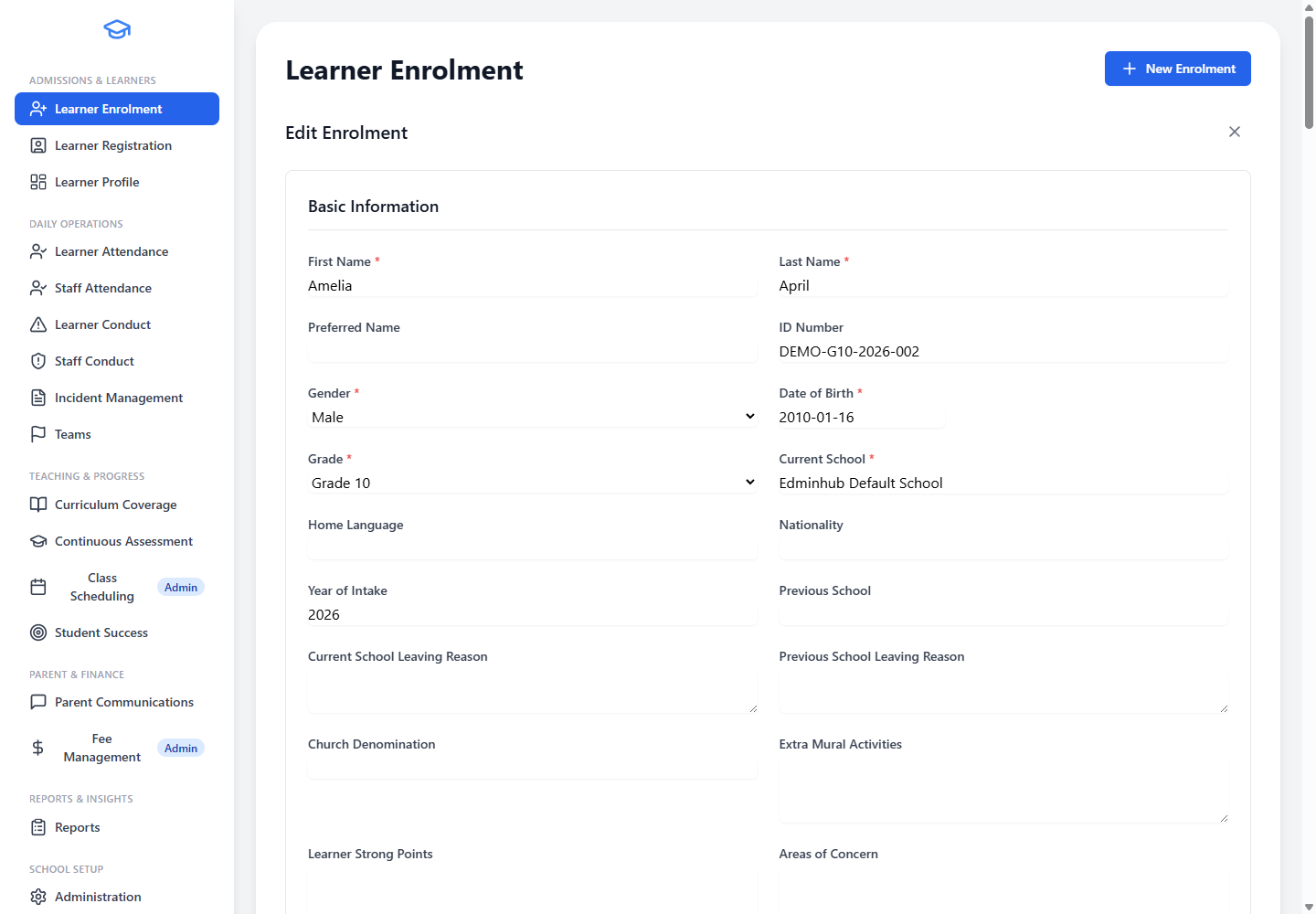
- Structured Review WorkflowSchool administrators review captured learner and parent application details in a structured school-office workflow before any record is finalised.
- Application Status TrackingTrack statuses such as captured, approved, declined, under consideration, or duplicate throughout the admissions process.
- Full Application HistoryPreserve the complete application history for future reference, audits, and parent queries.
- Convert Approved ApplicationsApproved applications can be converted into active learner records without retyping the same information.
- Aligned Family RecordsParent, guardian, billing, medical, and school history details stay aligned with the learner record throughout the process.
- Office Review SupportSupport office teams that need to review enrolments before registration is finalised, with clear approval stages.
Learner Registration
Screenshot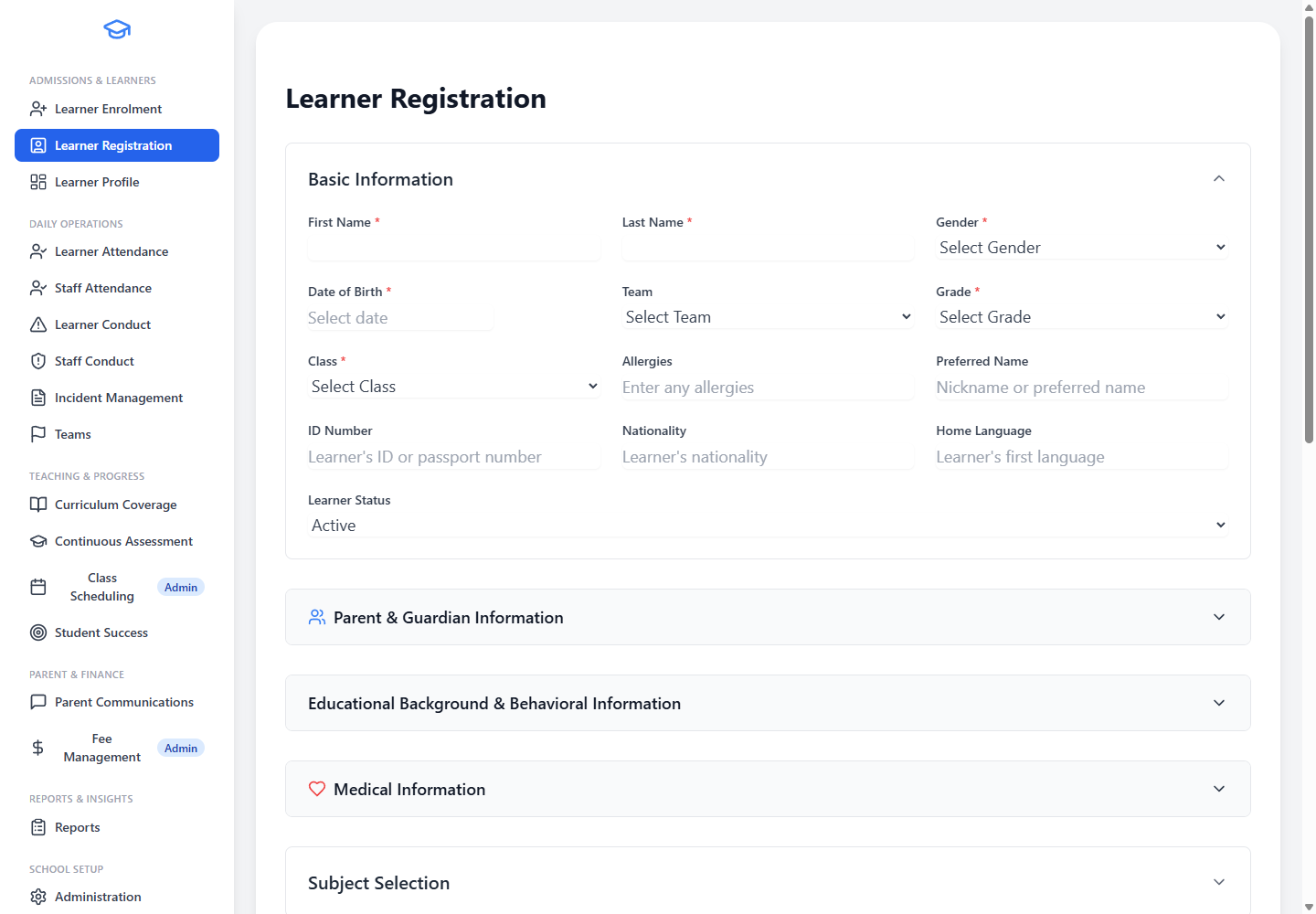
- Active Learner ManagementManage active learner details by grade and register class throughout the school year.
- Subject and Level AssignmentAssign learners to subjects and levels, with support for broad subject choice across the curriculum.
- Parent and Contact InformationStore parent, guardian, emergency, and billing contact information in a clear school-friendly format.
- Medical and Concession RecordsCapture medical information, allergies, concessions, and support needs that staff should be aware of during the school day.
- Connected School WorkflowsLearner information is available to attendance, conduct, reporting, and communication workflows across the system.
- Archived Learner SupportArchive learners so schools can preserve history without keeping old records in active daily lists.
Learner Profile
Screenshot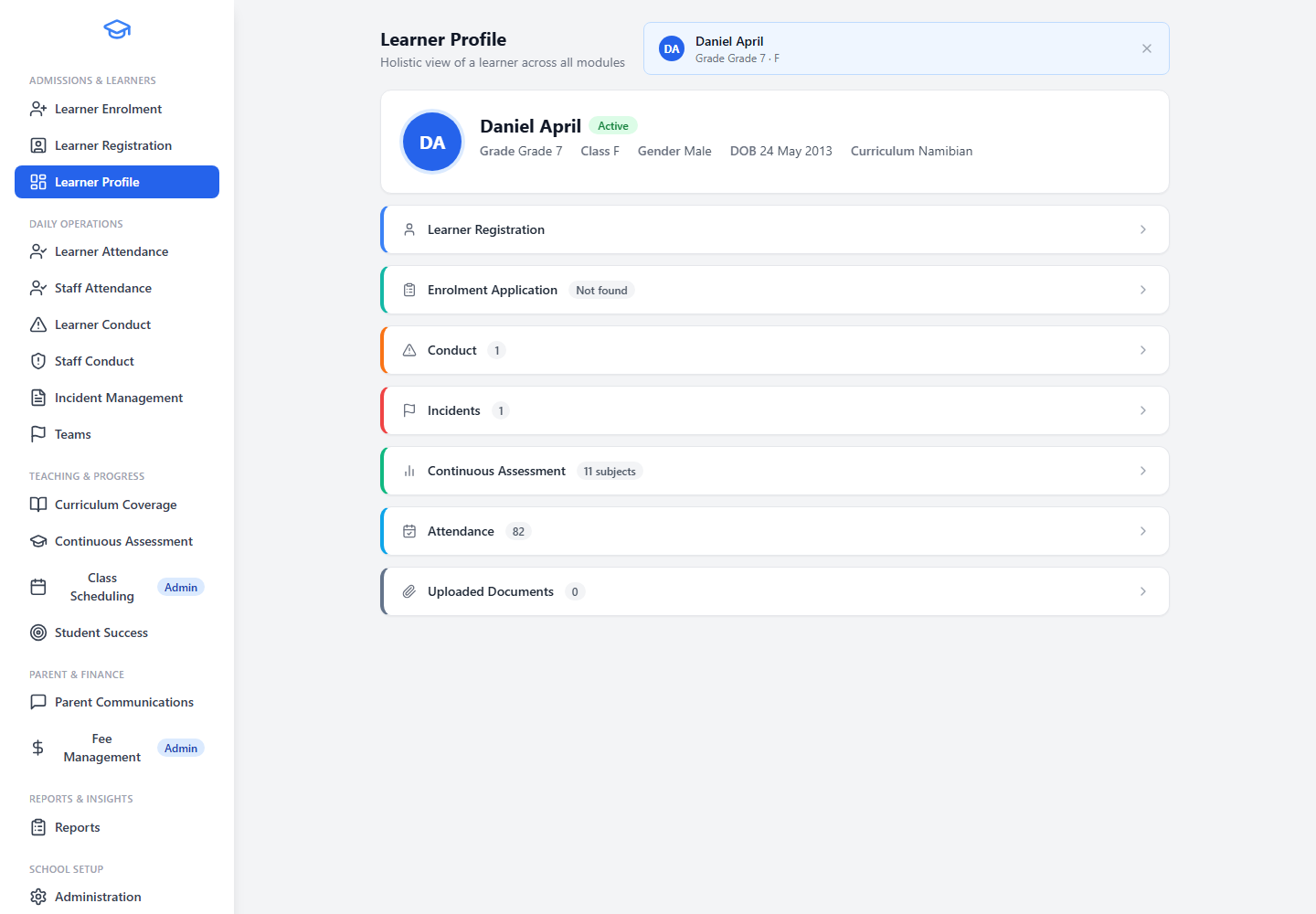
- Unified Learner ViewView core learner details, class, grade, subjects, and levels in a single staff-facing overview.
- Contextual School InformationSee attendance, conduct, incidents, and assessment information in context alongside the learner record.
- Parent and Guardian ContactsReview parent and guardian contact information directly from the learner profile.
- Academic JourneyCheck academic information across the learner's school journey to support informed decisions.
- Deep-Link to ModulesLink staff to the full attendance, assessment, conduct, or incident detail when they need to go deeper.
- Complete Learner PictureHelp teachers and administrators avoid working from incomplete learner information when making decisions.
Daily School Operations
The tools teachers and school leaders use every day to mark registers, track conduct, record incidents, and keep school life running smoothly.
Attendance Register
Screenshot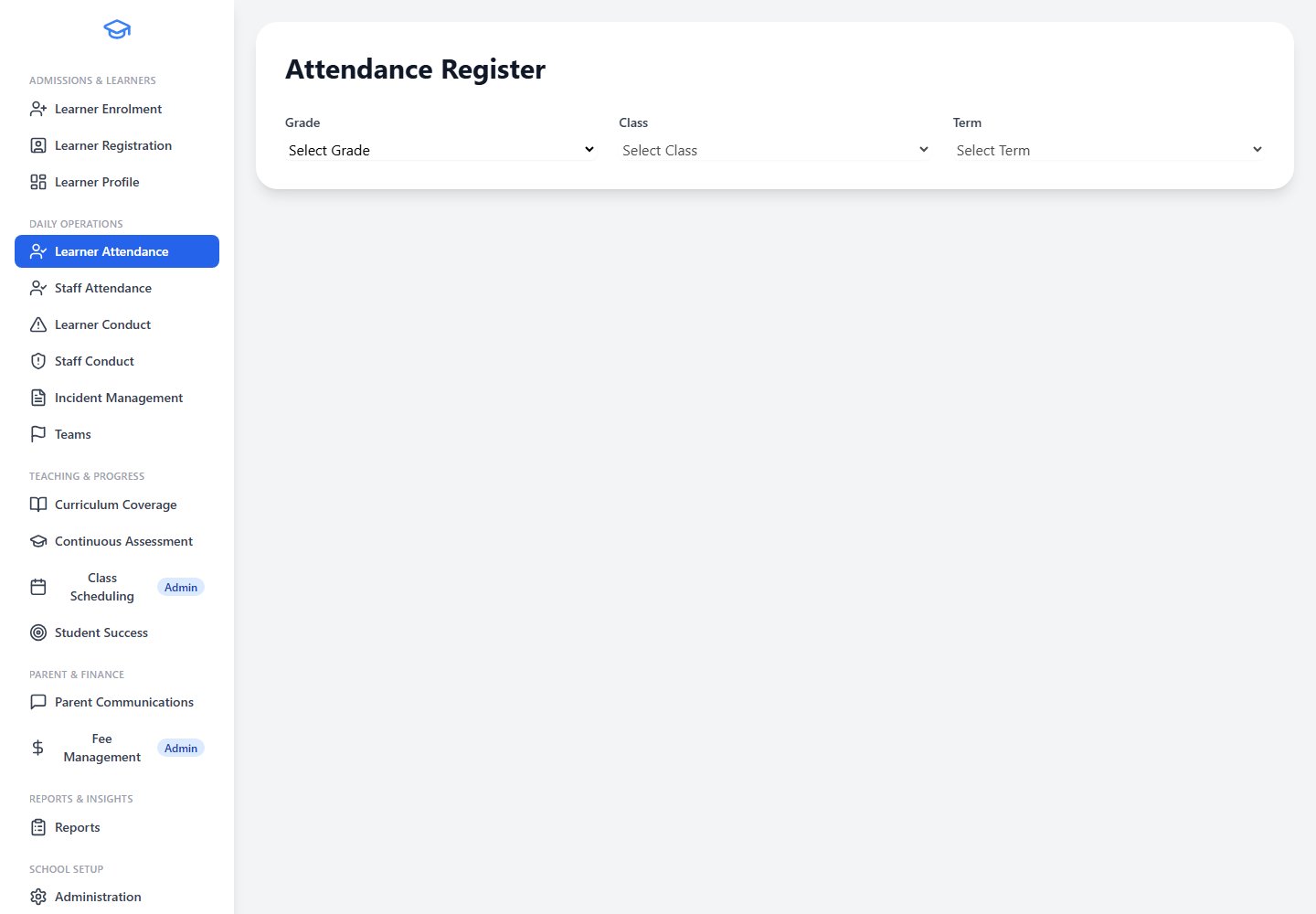
- Mark the Register by ClassTeachers can mark learner attendance by class and date quickly and accurately.
- Flexible Attendance StatesSupport attendance states such as present, absent, late, and excused where configured by the school.
- School Calendar AwareAutomatically account for school terms, public holidays, weekends, and mid-term breaks so teachers only mark on valid school days.
- Reports and Follow-UpAttendance information feeds directly into reports and learner follow-up workflows.
- Mobile-Friendly RegisterSupport mobile-friendly register marking for teachers using tablets or laptops in the classroom.
- Early Absence Pattern DetectionHelp schools identify absence patterns early so they can act before problems grow.
Staff Attendance Register
Screenshot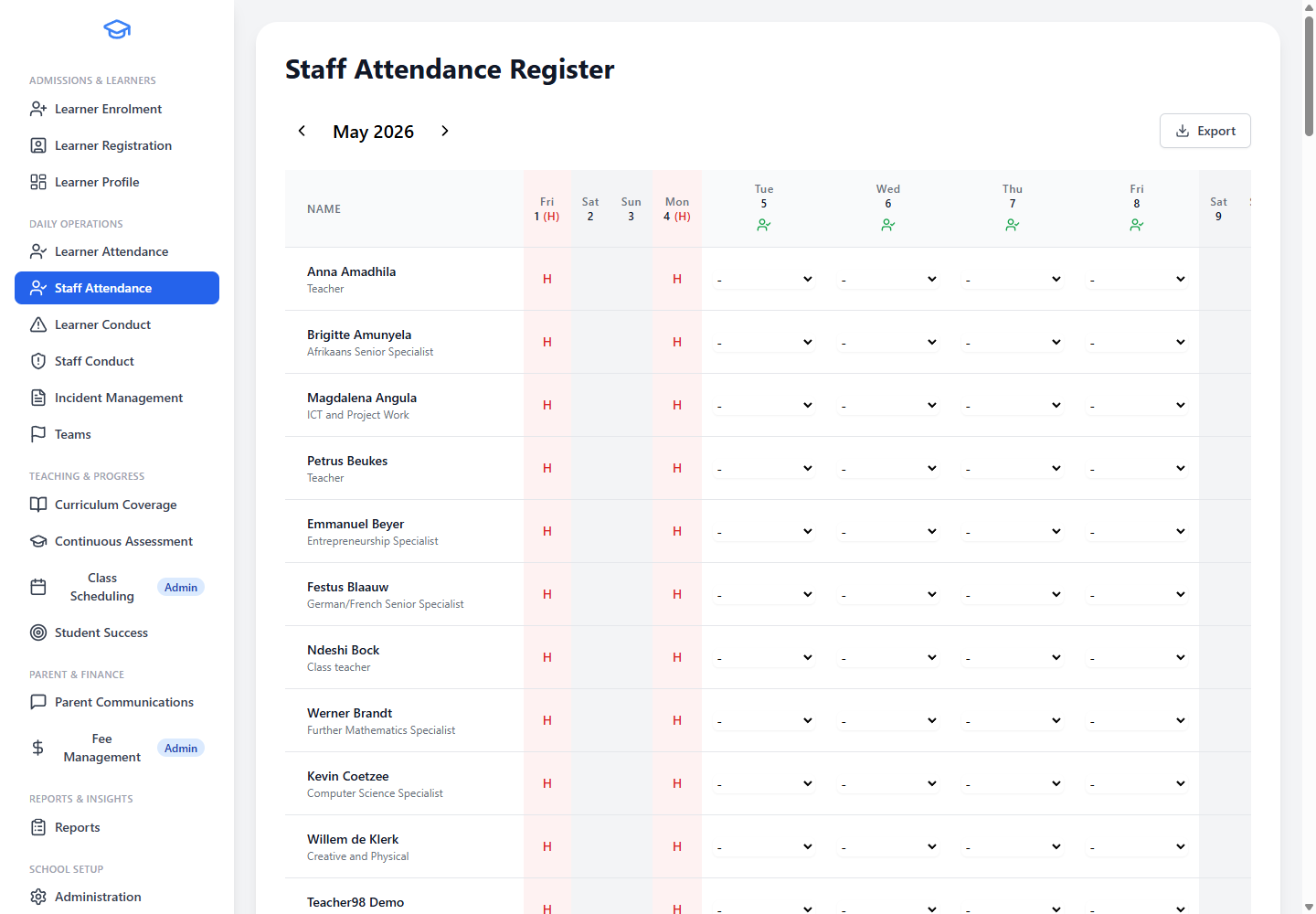
- Daily Staff AttendanceRecord daily staff attendance using the same school calendar logic as learner registers.
- Term and Holiday AwareRespect school terms, public holidays, weekends, and mid-term breaks automatically.
- Leadership ReportingSupport attendance reporting for school leadership and administration.
- Separate from Learner AttendanceKeep staff attendance records separate from learner attendance for clarity.
- Absence Trend IdentificationHelp administrators identify absence trends and maintain accurate school records.
Learner Conduct
Screenshot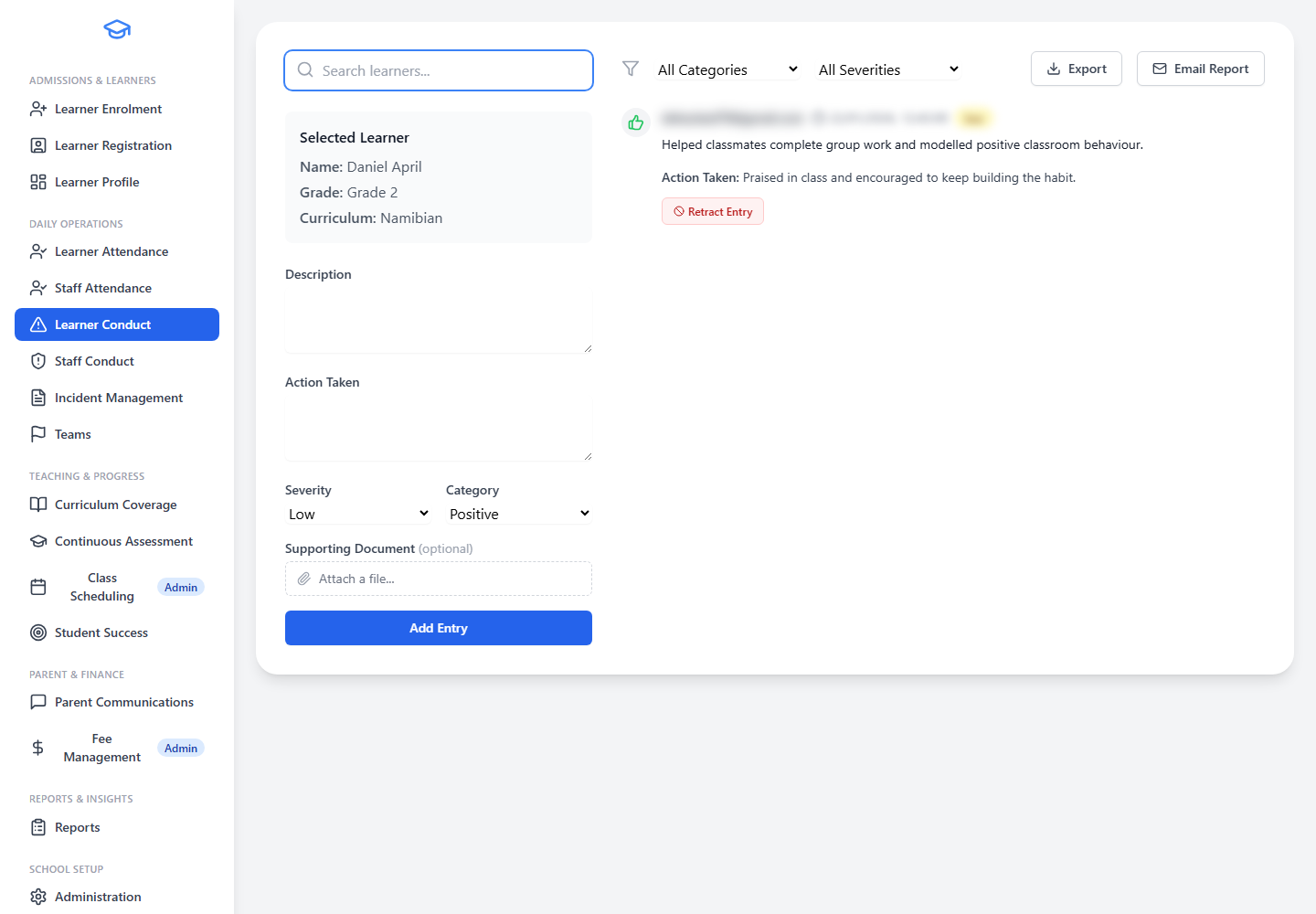
- Positive and Corrective RecordsCapture positive conduct, classroom observations, misconduct, and disciplinary entries in one place.
- Structured Record KeepingRecord severity, category, date, learner, and action taken for every conduct entry.
- Conduct History on Learner ProfileKeep conduct history visible on the learner profile so staff can see patterns over time.
- Filter by Category and SeveritySupport filtering by category and severity to surface what matters most.
- Recognise Good BehaviourHelp staff recognise both good behaviour and areas needing intervention consistently.
- Support Informed DiscussionsUse conduct records as part of broader learner support discussions with parents and colleagues.
Staff Conduct
Screenshot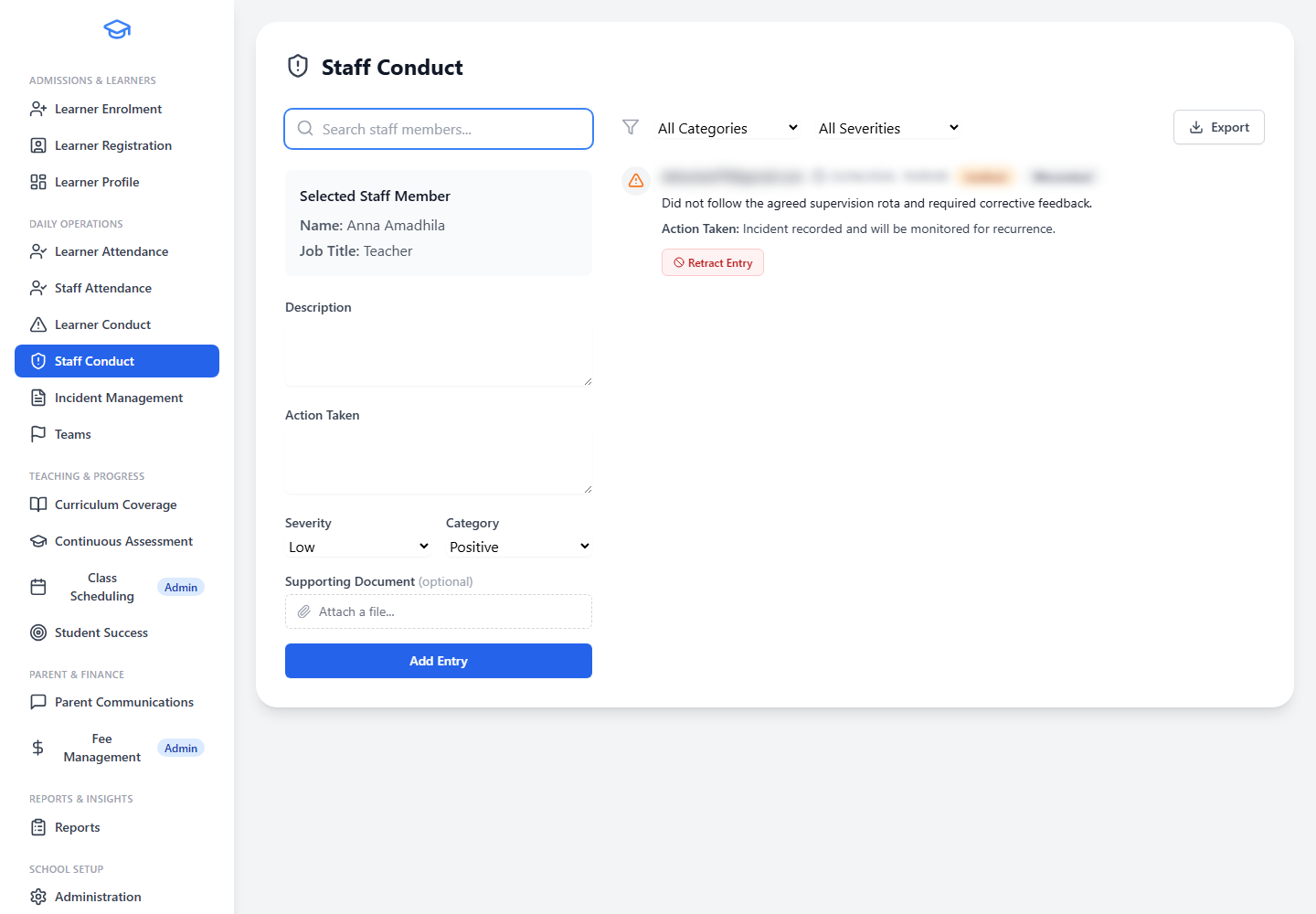
- Separate Staff Conduct RecordsCapture staff conduct records in a structured, confidential area separate from learner conduct.
- Positive and Corrective NotesRecord positive comments, observations, concerns, or follow-up actions for staff members.
- Leadership VisibilitySupport leadership visibility into staff-related conduct matters with appropriate access controls.
- Restricted AccessKeep records available only to authorised users, protecting confidentiality.
- Clear Internal RecordsHelp schools maintain clear internal records without mixing them with learner discipline.
Incident Management
Screenshot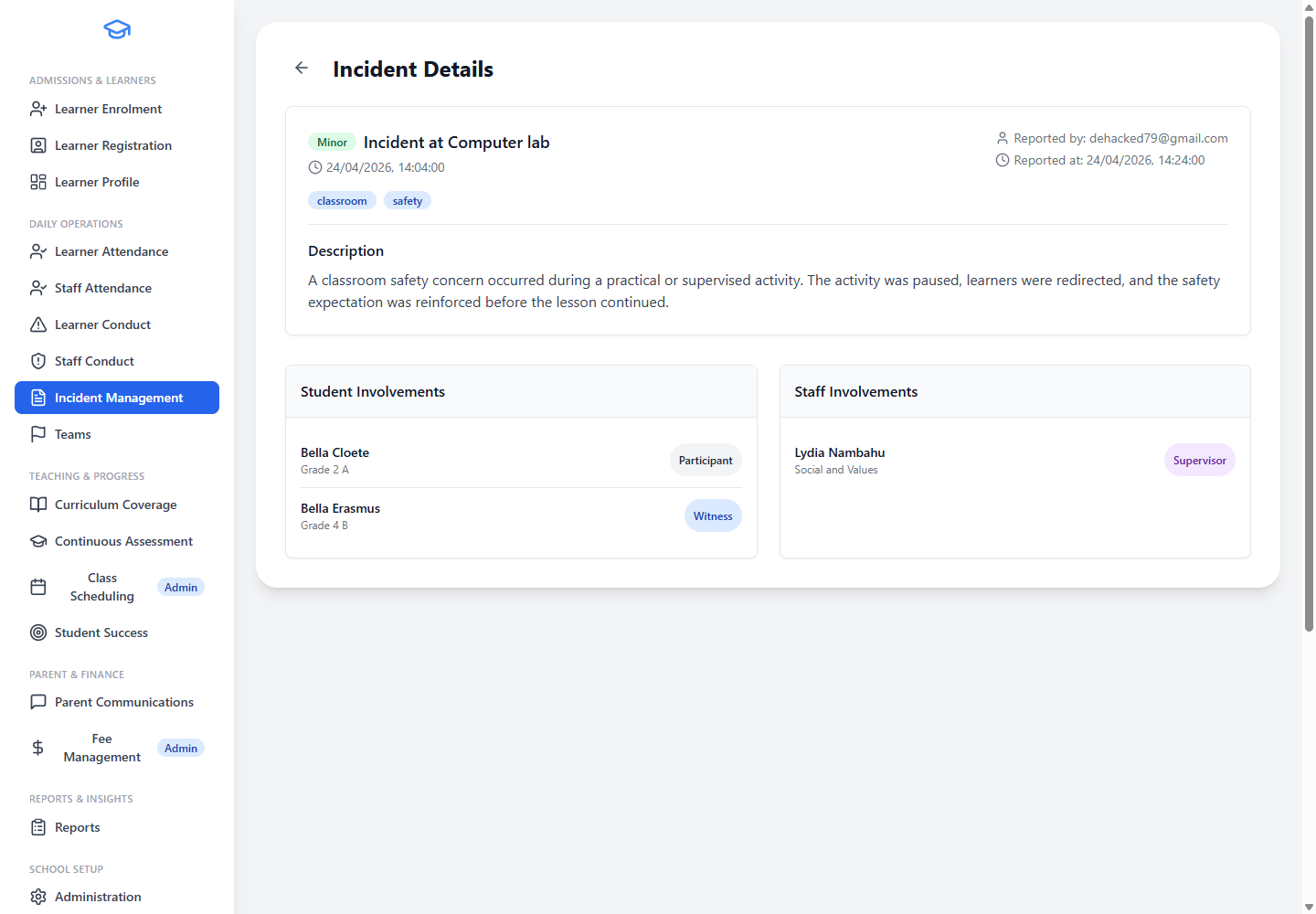
- Structured Incident RecordingCapture incident date, time, location, description, and severity in a clear, structured format.
- Link Learners to IncidentsLink one or more learners to an incident for a complete record of who was involved.
- Link Staff to IncidentsLink staff members who were involved, present, or responsible for follow-up.
- Search and FilterSearch incidents by incident details or learner name to find records quickly.
- Learner Support VisibilityKeep incident history visible where staff need it for learner support and safeguarding.
- Official Record KeepingSupport official school record keeping for serious or repeated concerns.
Teaching, Assessment & Progress
From assigning subjects and capturing marks through to checking results and identifying at-risk learners, EdminHub supports the full assessment cycle.
Subject Assignments
Screenshot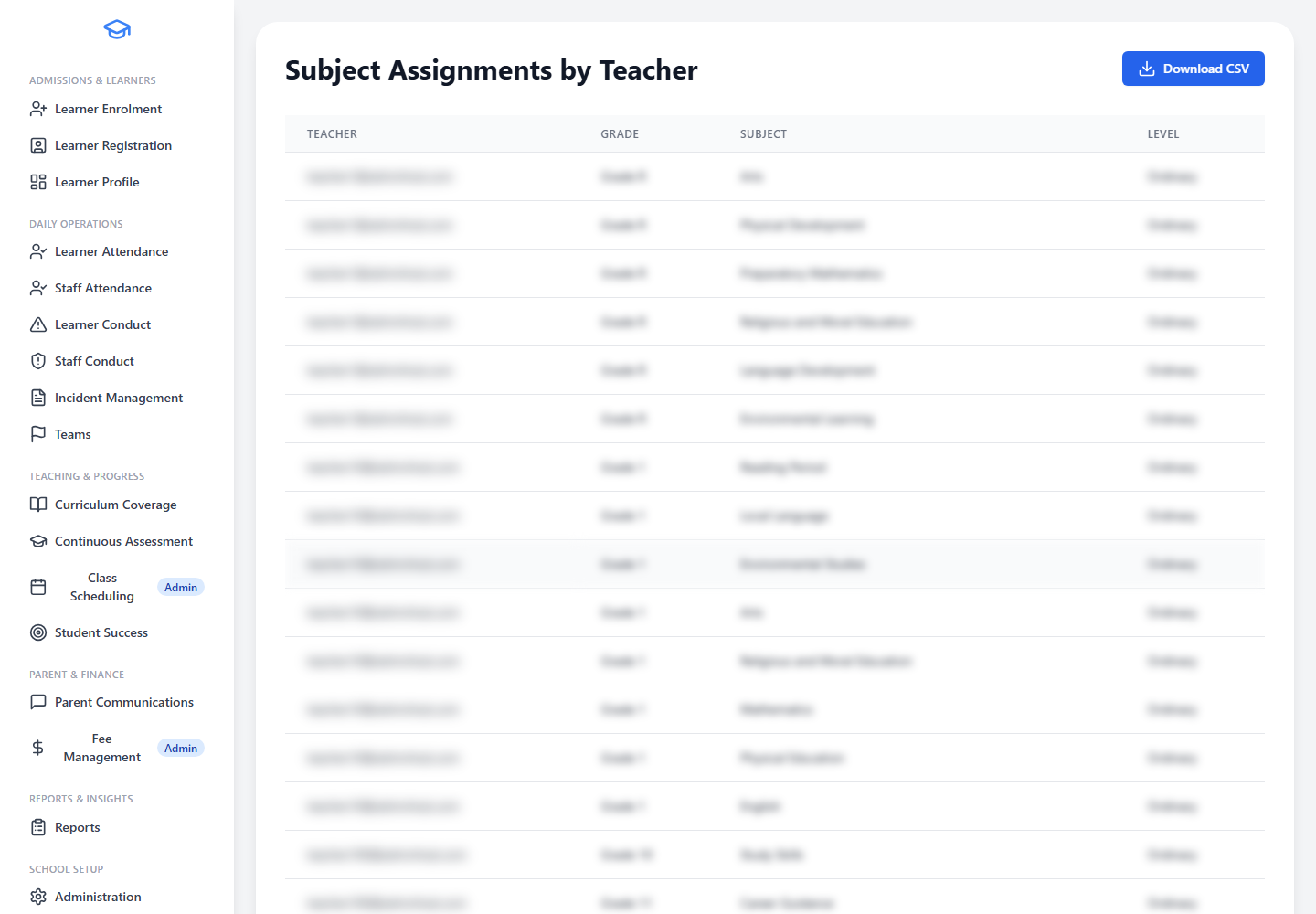
- Teacher-Subject MatchingAssign teachers to subjects by grade and level so the school knows exactly who teaches what.
- Availability OverviewSee which teachers are available for each subject offering at a glance.
- Register-Class and Subject PlanningSupport register-class and subject-teacher planning from the same assignment view.
- Identify Staffing GapsHelp identify staffing gaps before learners are over-enrolled in subjects.
- Feed Downstream WorkflowsFeed scheduling and reporting workflows with accurate teacher-subject information.
Continuous Assessment & Grading
Screenshot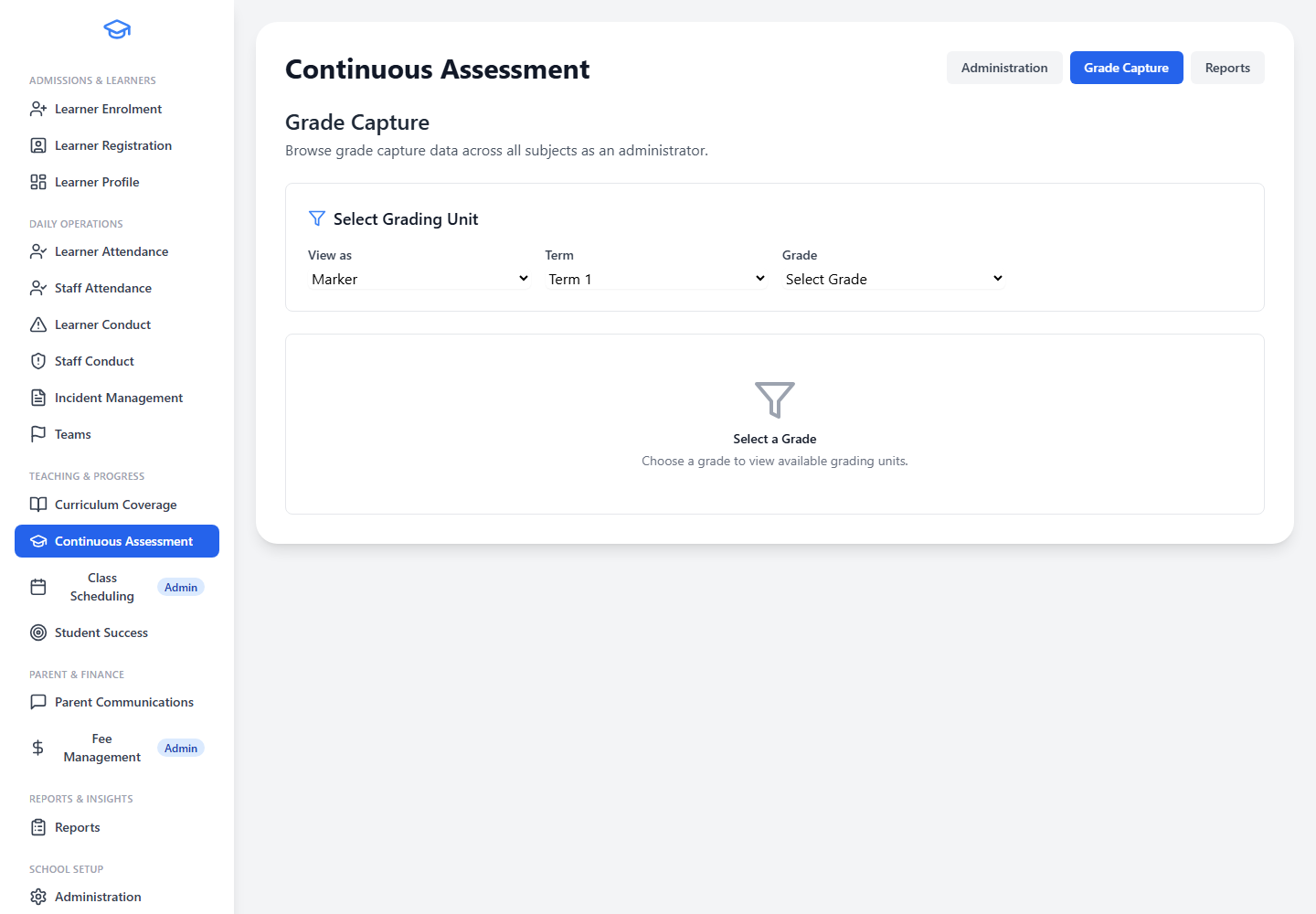
- Grading Unit ConfigurationConfigure grading units for each grade, subject, and level to match school-specific assessment policies.
- Flexible Grading ModesSupport percentage-based and symbol-based grading, including school-defined grading bands.
- Multi-Category Assessment StructureBuild assessment structures with categories such as tests, exams, projects, oral work, portfolios, or practical tasks.
- Marker and Checker WorkflowAssign markers and checkers so captured marks can be reviewed before finalisation, improving accuracy.
- Structured Grade CaptureCapture term marks in a structured grade-capture screen designed for efficient data entry.
- Audit TrailKeep an audit trail of changes to support accountability and parent queries.
Student Success & Intervention
Screenshot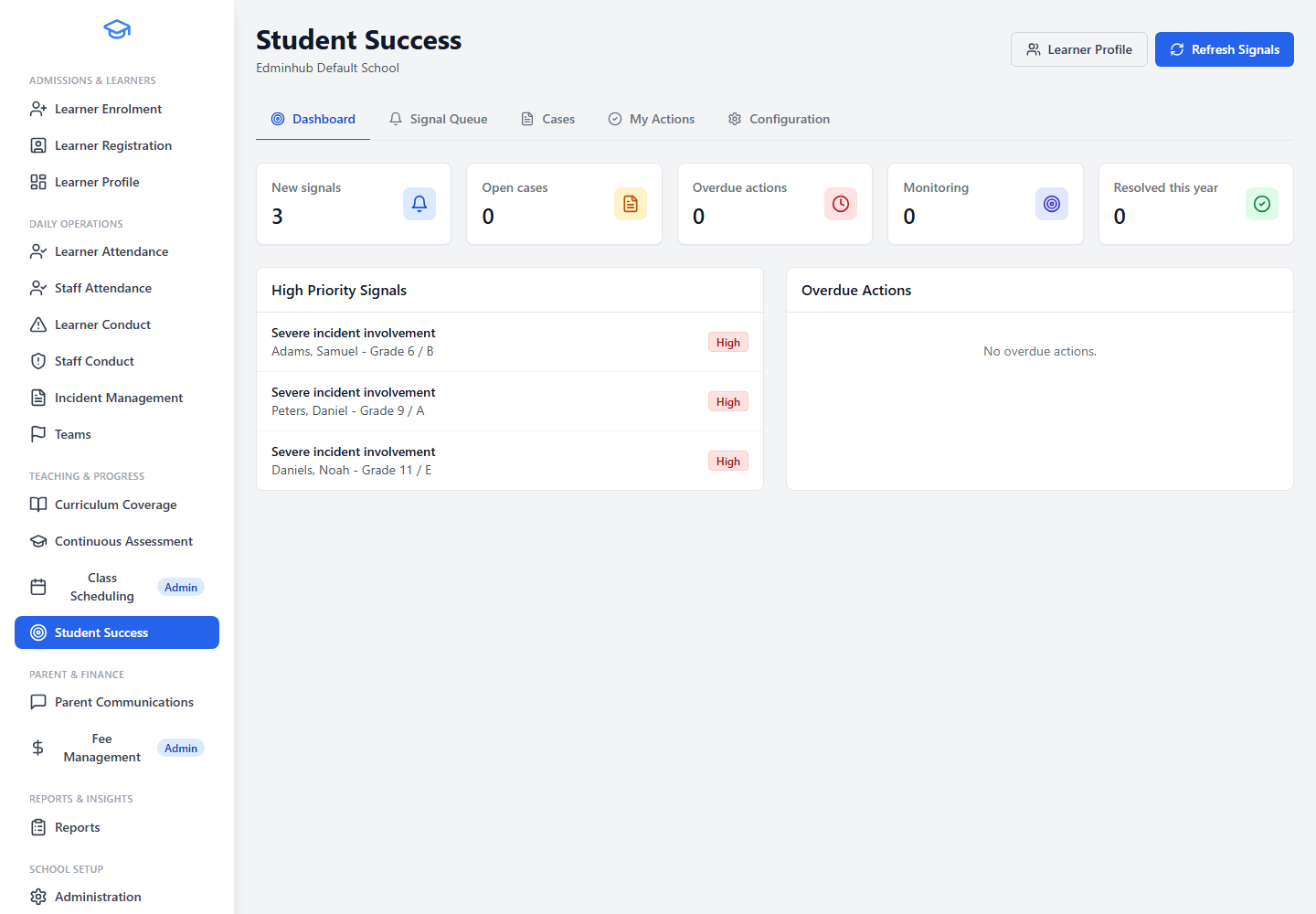
- Early Warning SignalsView early warning signals from attendance, assessment, conduct, and incident records to catch concerns early.
- Learner Support CasesCreate learner support cases for concerns that need follow-up, with clear ownership and accountability.
- Assign Owners and ParticipantsAssign owners and participants so staff know who is responsible for each case.
- Track Follow-Up ActionsTrack actions such as teacher check-ins, parent contact, academic support, attendance follow-up, counselling referral, or behaviour plans.
- Record Notes and OutcomesRecord internal notes, meetings, reviews, parent contact, and outcomes as the case progresses.
- Case Lifecycle ManagementMove cases through open, in progress, monitoring, resolved, or closed-no-action stages.
Continuous Assessment Analytics
Screenshot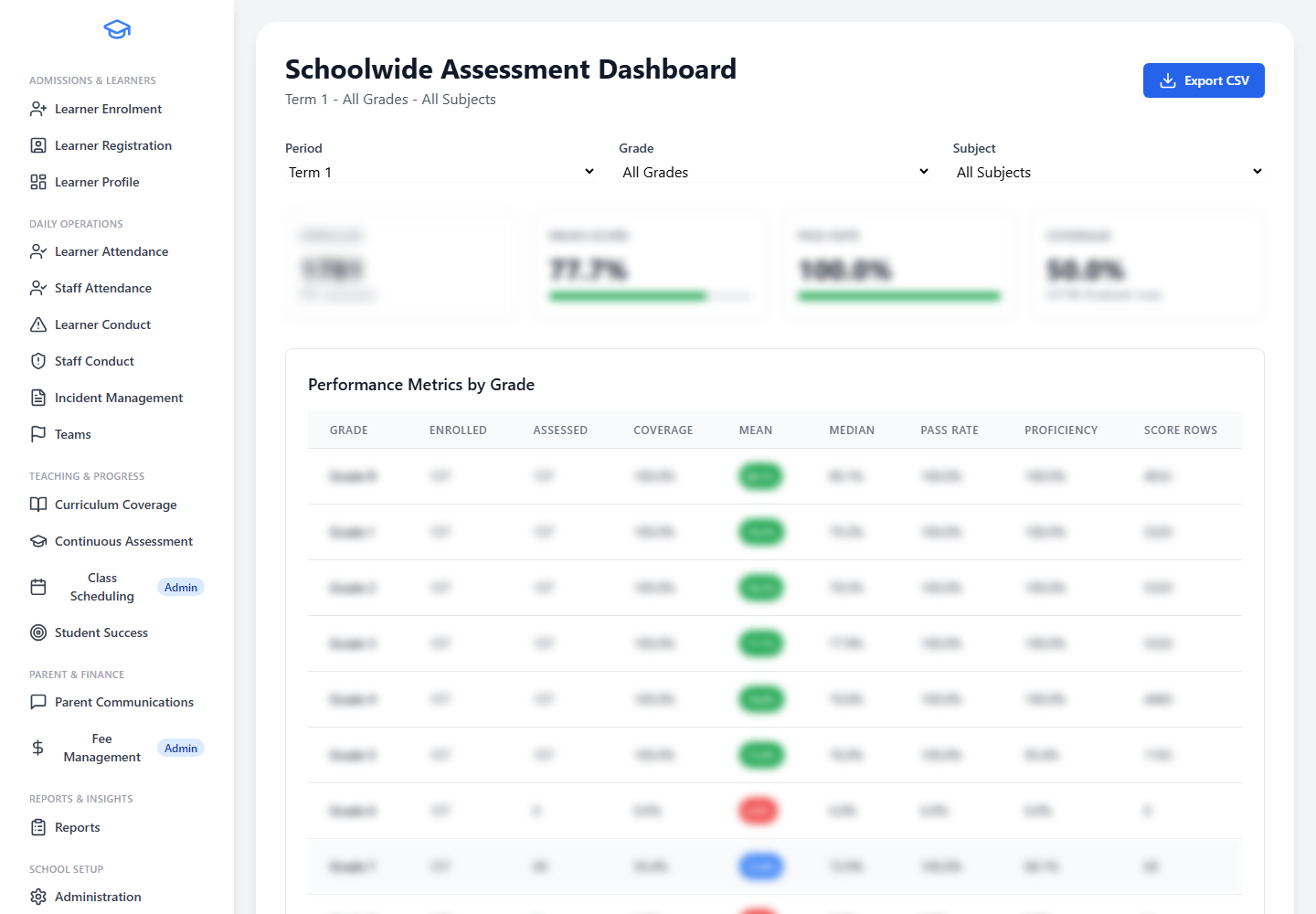
- Schoolwide Assessment DashboardA schoolwide assessment dashboard with term and full-year views helps leadership understand performance at a glance.
- Grade-Level Summary ReportsGrade-level summary reports using the grading rules configured for each subject.
- Subject Performance AnalysisSubject performance analysis by subject, level, and period for detailed academic review.
- Assessment Item AnalysisReview how learners performed on specific tasks with assessment item analysis.
- At-Risk Early Warning ReportAn at-risk early warning report highlights learners who may need academic support.
- Demographic DisaggregationDemographic disaggregation report for deeper academic analysis across learner groups.
- Teacher and Classroom SummaryTeacher and classroom summary for class-level performance review.
- Score Audit TrailScore audit trail showing changes to captured marks for full accountability.
- Detailed Grades and Promotion ReportsDetailed grades by subject and promotion schedule reports for academic planning.
- Setup and Completeness ReportsSetup and completeness reports for assessment structures, personnel, and marker/checker status.
Parent Communication & Finance
Keep parents informed and manage school fees with structured communication tools and a controlled billing workspace.
Parent Communications
Screenshot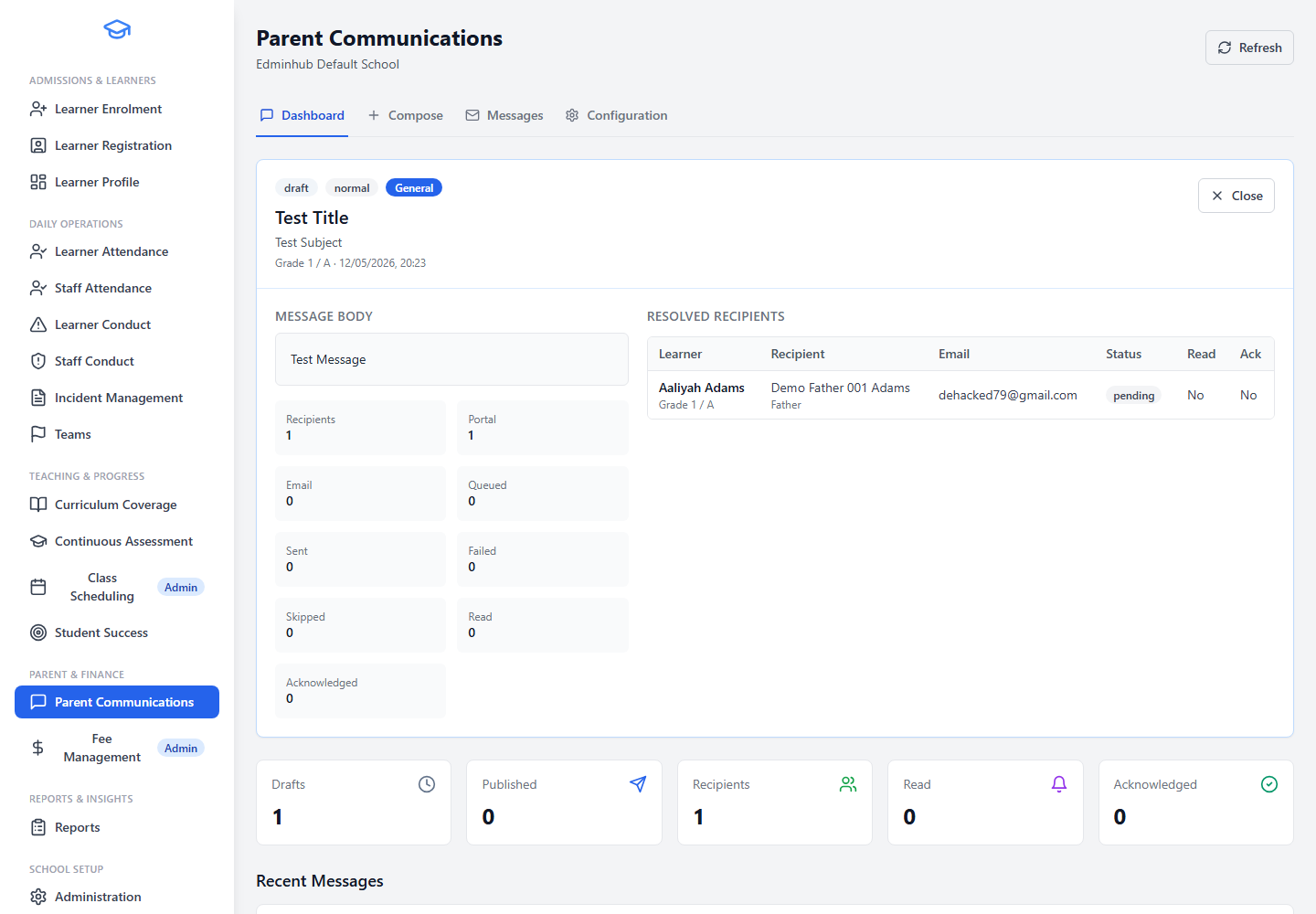
- Compose School MessagesCompose messages for the whole school, selected grades, or selected classes.
- Multiple Delivery ChannelsSend through the parent portal, email, or both, depending on the message.
- Recipient List PreviewResolve recipient lists before publishing so staff can see who will receive the message.
- Communication PreferencesRespect parent communication preferences captured in the learner record.
- Message TrackingTrack message status, recipients, read activity, acknowledgements, and delivery issues.
- Categories and PrioritiesUse categories and priorities to organise school communications effectively.
Fee Management
Screenshot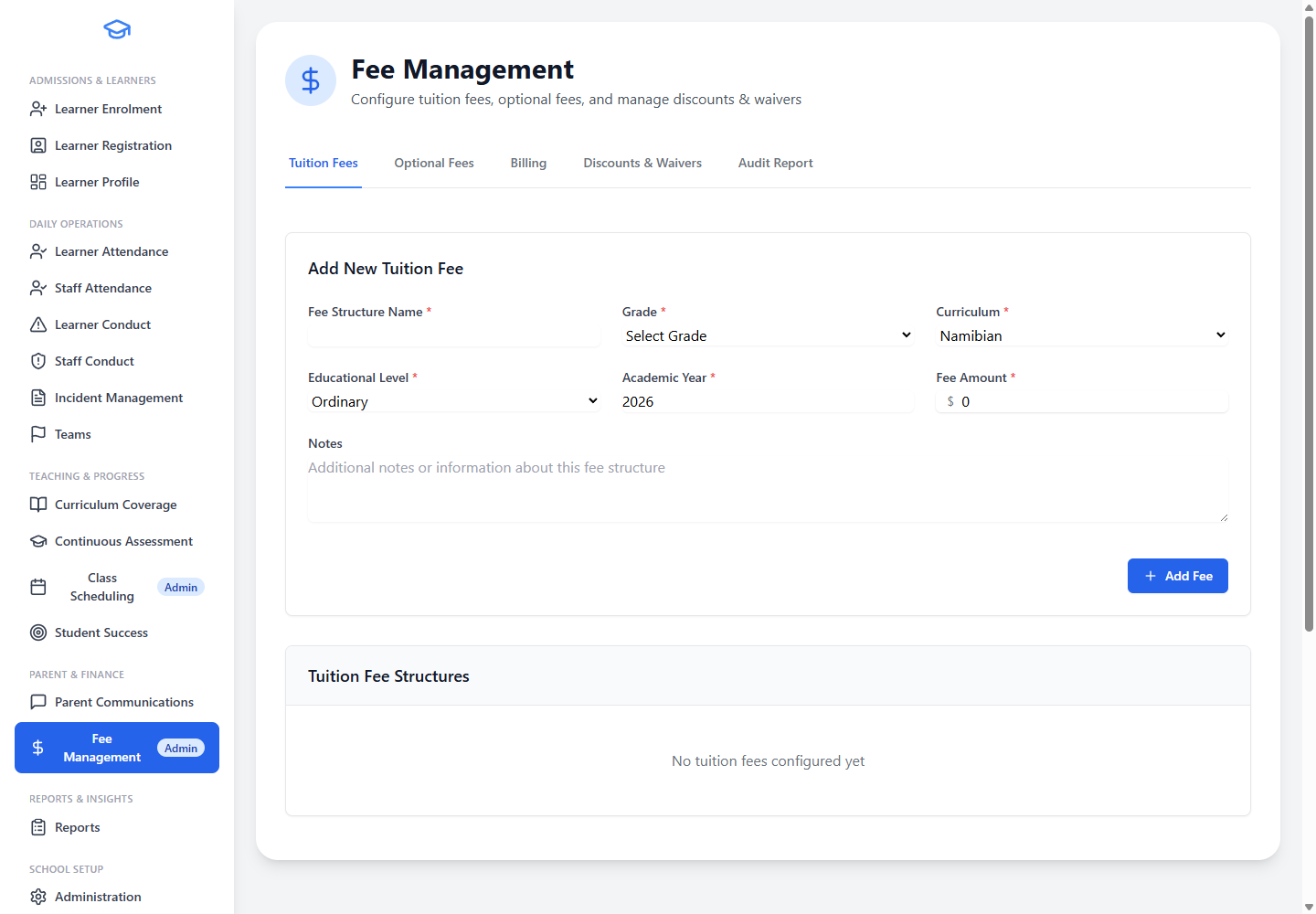
- Tuition Fee ConfigurationConfigure tuition fees by school setup so finance staff can manage billing structures centrally.
- Optional FeesManage optional fees for activities, services, or add-ons alongside standard tuition.
- Discounts and WaiversRecord discounts and waivers where learners qualify, with clear audit visibility.
- Billing WorkspaceUse a billing workspace for invoice-related workflows in a controlled environment.
- Fee Audit InformationReview fee audit information so finance changes remain accountable.
- Restricted AccessRestrict access to authorised admin and finance users only.
Reports & Insight
Reports that help school leaders, administrators, and teachers understand enrolment, attendance, assessment, conduct, and learner support needs.
Comprehensive Reporting
Screenshot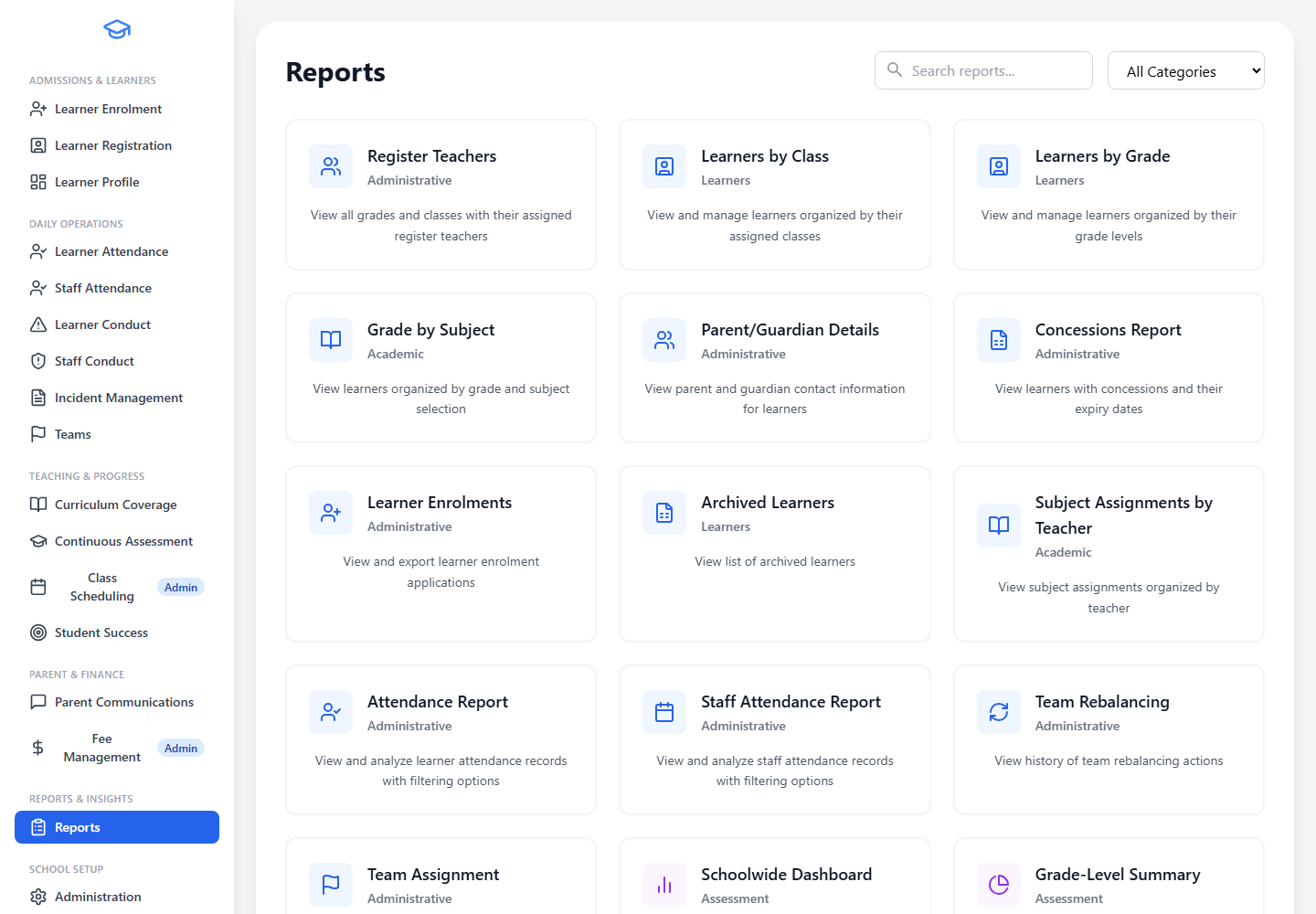
- Learners by Grade and ClassGenerate learner lists by grade and by class for printing, export, or quick reference.
- Grade by SubjectAnalyse subject enrolment across grades for resource planning and curriculum review.
- Subject Assignments by TeacherAudit teaching load by subject and teacher to support scheduling and workload balance.
- Parent and Guardian ContactsParent and guardian contact reports grouped by grade and class for communication planning.
- Concessions and Archived LearnersView all learners with special accommodations, and access records of past learners for audits or alumni lists.
- Team Assignment and RebalancingTeam assignment and team rebalancing reports for athletics and school grouping activities.
- Attendance ReportsLearner and staff attendance reports that respect school terms and calendar settings.
- Enrolment ReportsTrack enrolment volume by grade and term for growth analysis and strategic planning.
Quarterly Learner Reports
Screenshot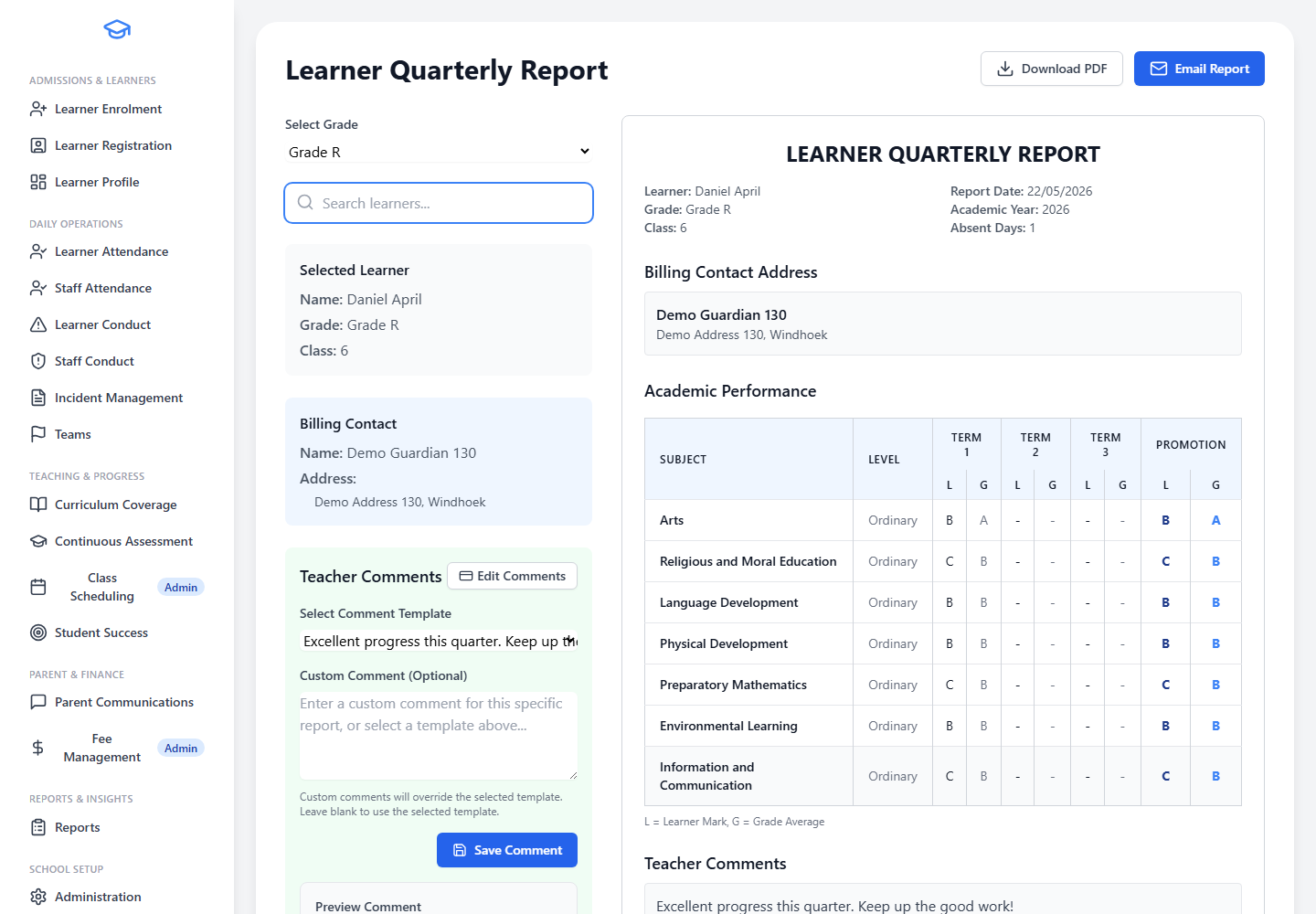
- Generate from Assessment DataGenerate quarterly learner reports directly from captured assessment data without manual spreadsheet work.
- Teacher CommentsSupport teacher comments and report history for each learner and subject.
- Review Before FinalisingReview learner marks and comments before finalising reports so nothing is published prematurely.
- Share Through School ChannelsEmail or share reports through the school's configured communication process where enabled.
- School-Specific Report FormatsReport formats can support school-specific reporting needs and structures.
School Setup, Security & Administration
Configure the school year, manage staff records, control access, and set up the structures that daily school operations depend on.
School Administration
Screenshot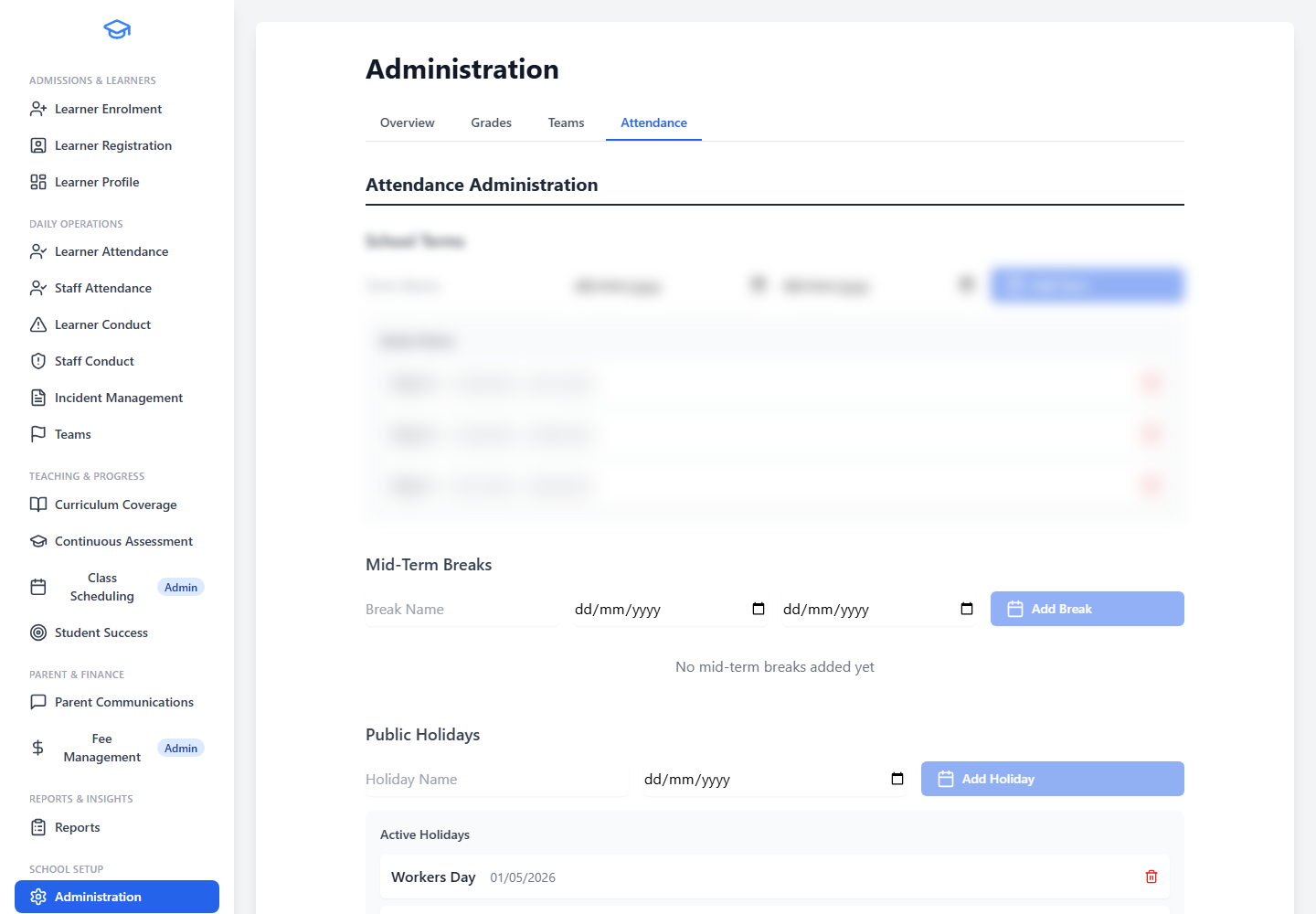
- Grades and SubjectsDefine grades and the subjects offered in each grade to structure the academic year.
- Register Classes and TeachersSet up register classes and assign register teachers for attendance and communication.
- Terms, Holidays, and Mid-Term BreaksManage school terms, public holidays, and mid-term breaks that drive attendance, scheduling, and reporting.
- Team SetupConfigure team setup for athletics or school grouping activities.
- Connected WorkflowsSupport subject, class, attendance, and reporting workflows from one central setup area.
- Year-to-Year FlexibilityKeep school setup flexible for year-to-year changes as the school evolves.
Enrolment Administration
Screenshot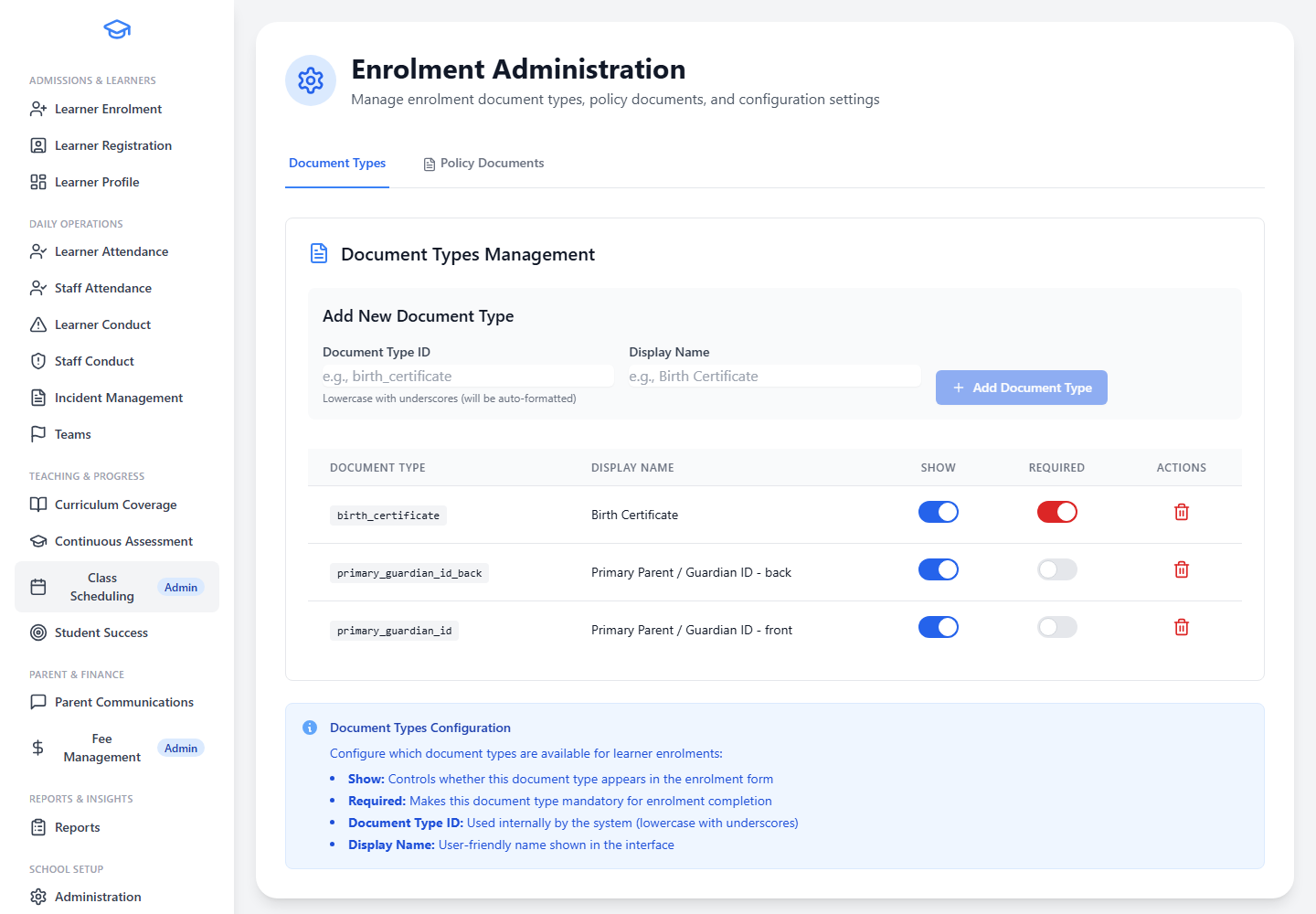
- Enrolment Review WorkflowsSupport school-controlled enrolment review workflows so admissions work is managed consistently.
- Application Stage ManagementHelp administrators manage application stages and outcomes through the review process.
- Separate from Daily RegistrationKeep admissions setup separate from daily learner registration for clarity.
- Status DecisionsSupport status decisions such as approved, declined, under consideration, or duplicate.
- Structured Review ProcessProvide structure for schools that need office or management review before a learner is accepted.
Class Scheduling
Screenshot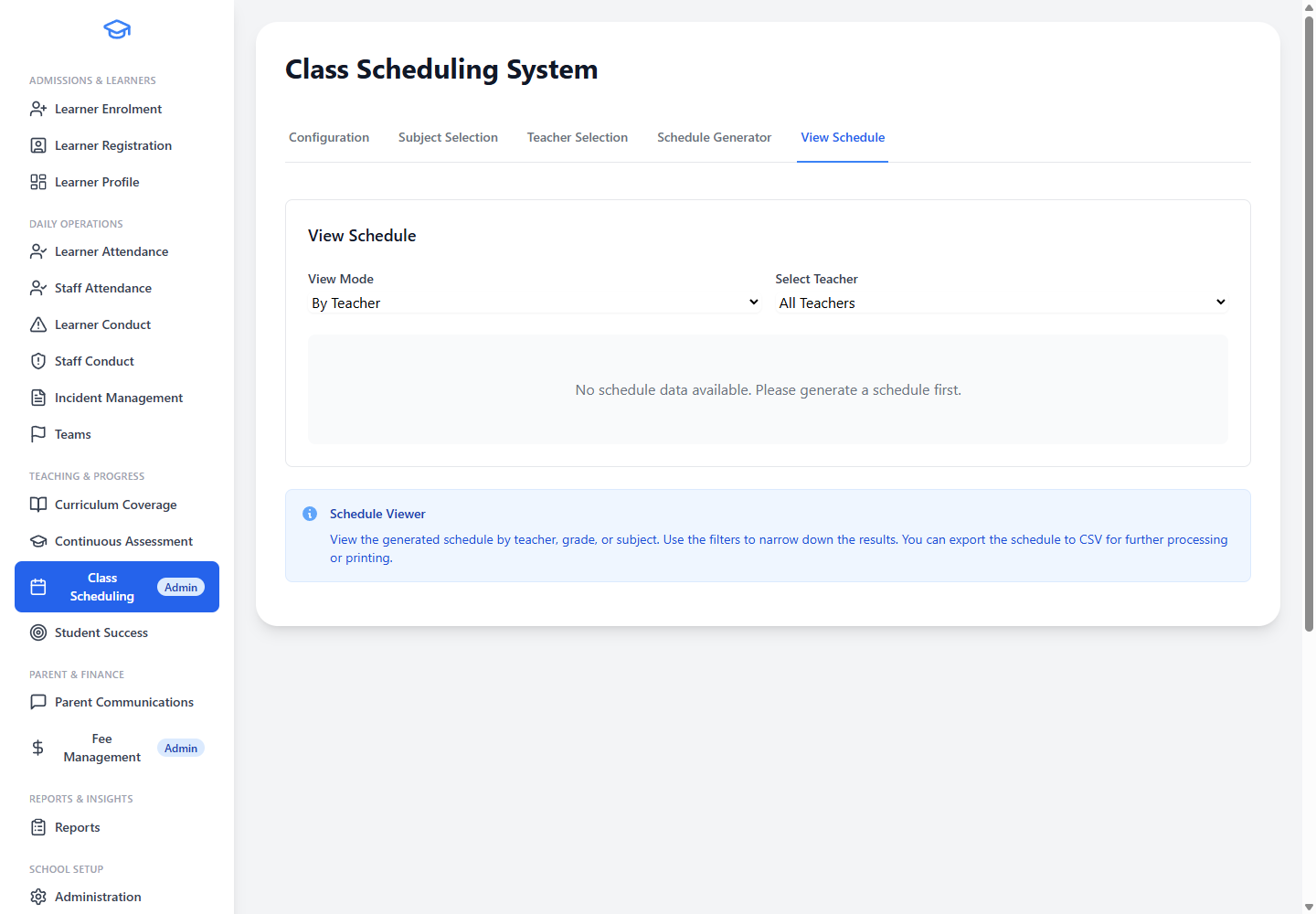
- School Week ConfigurationConfigure the school week, teaching days, periods, breaks, and timetable structure.
- Subject and Level SelectionSelect subjects and levels to include in the schedule based on the school's curriculum.
- Teacher AssignmentsLink teachers to the grades and subjects they teach for scheduling purposes.
- Enrolment VisibilityUse enrolment visibility to understand how many learners need each subject or level.
- Schedule GenerationGenerate schedules while checking teacher and subject availability to reduce manual work.
- Filter and ViewView the full generated schedule and filter by grade, subject, or teacher.
Athletics & Teams
Screenshot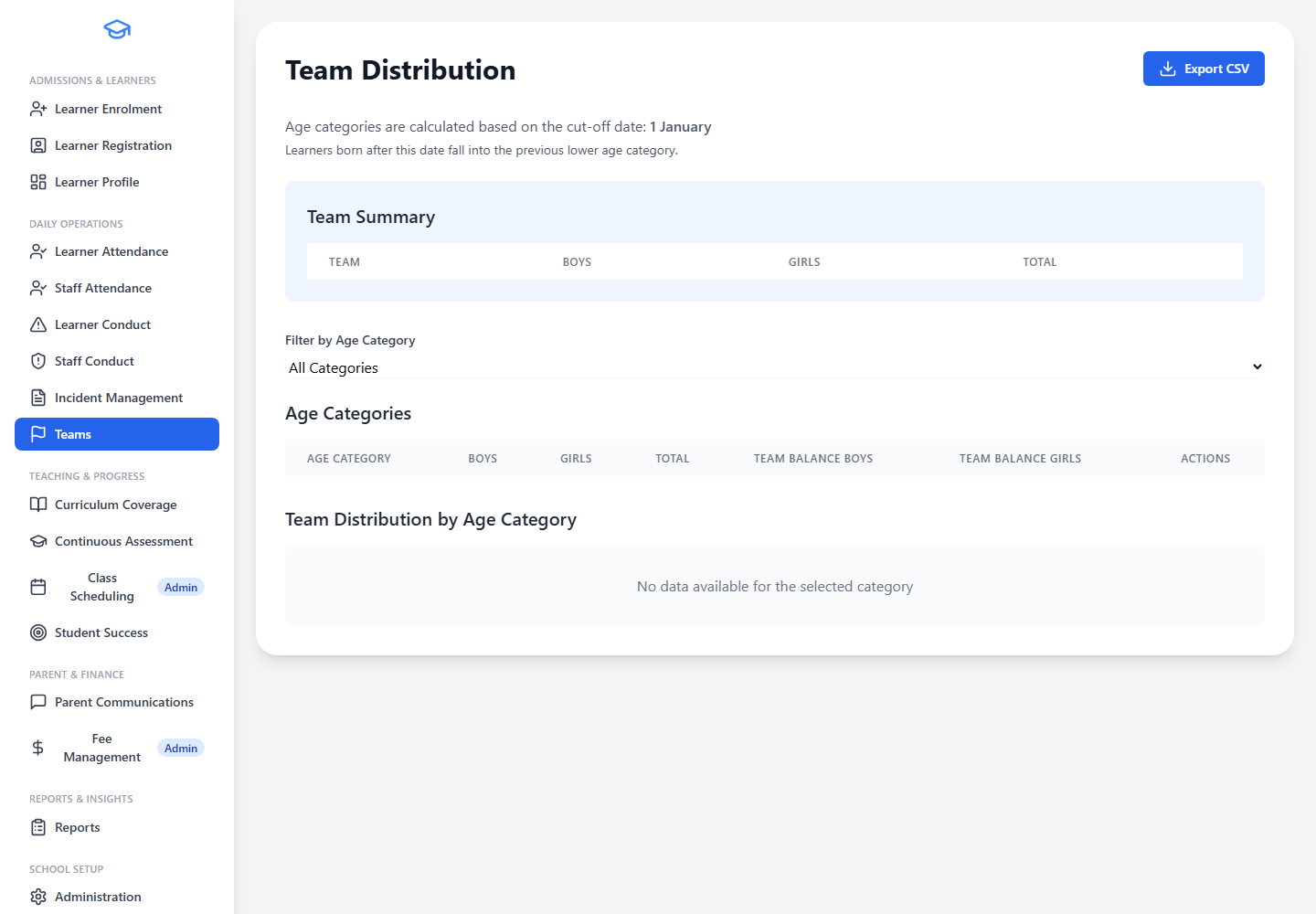
- Team AssignmentAssign learners to teams using grade, age, and gender information.
- Distribution OverviewView team distribution by age and gender to ensure fair allocation.
- Rebalance TeamsRebalance teams where numbers are uneven to support equitable groupings.
- Team ReportsProduce team assignment and rebalancing reports for athletics planning and school events.
Access Control
Screenshot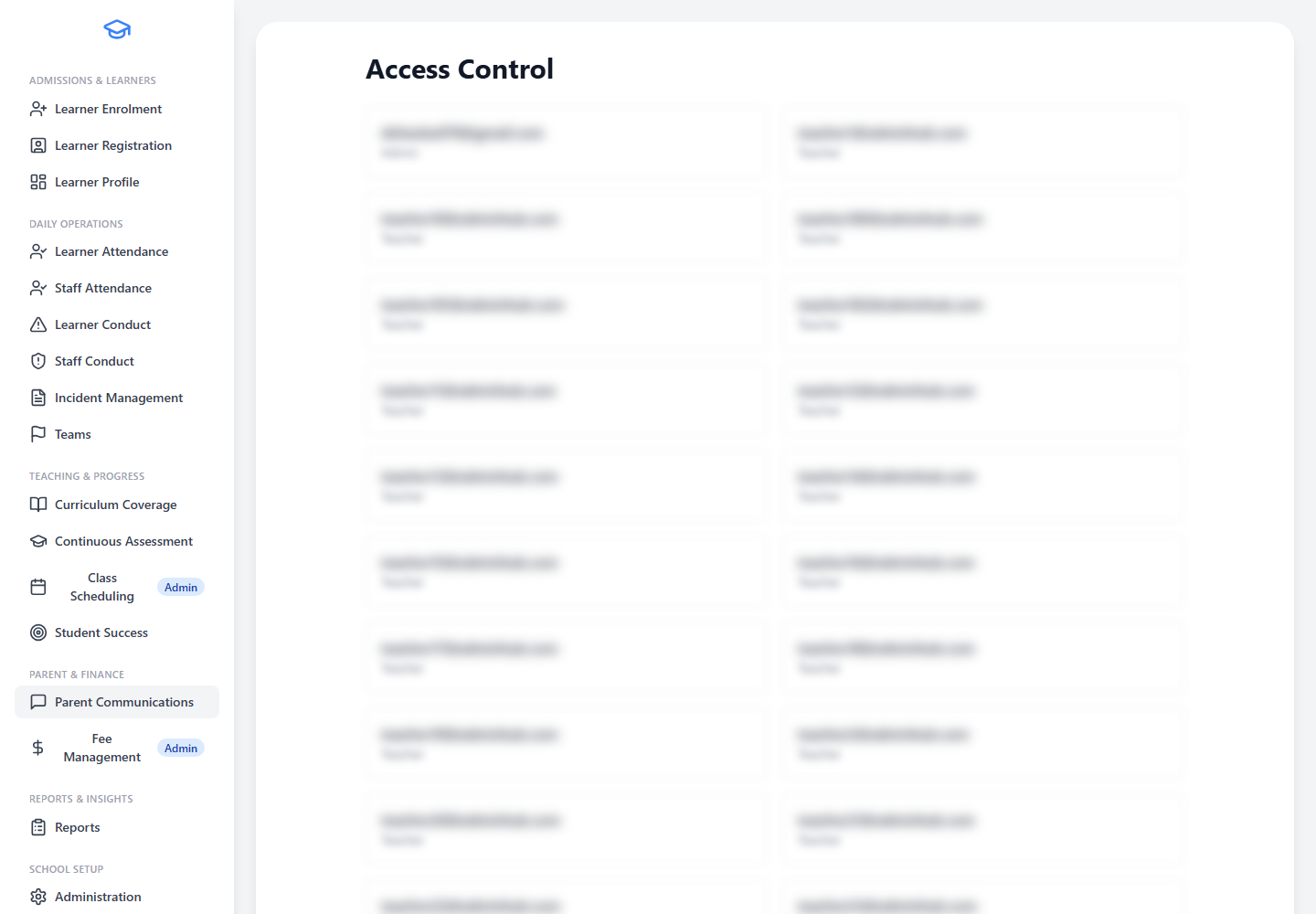
- Page-by-Page AccessPage-by-page access control for key school modules so staff only see what they need.
- Read-Only and Full AccessSupport read-only and full access where appropriate to reduce accidental changes.
- Scope by Class, Grade, or SchoolScope staff access by class, grade, or whole school depending on their role.
- Specialist Role AccessGive specialist roles, such as finance or student support, access to the modules they need.
- Protect Learner InformationHelp schools protect learner information while still giving teachers the tools they need.
User Management
Screenshot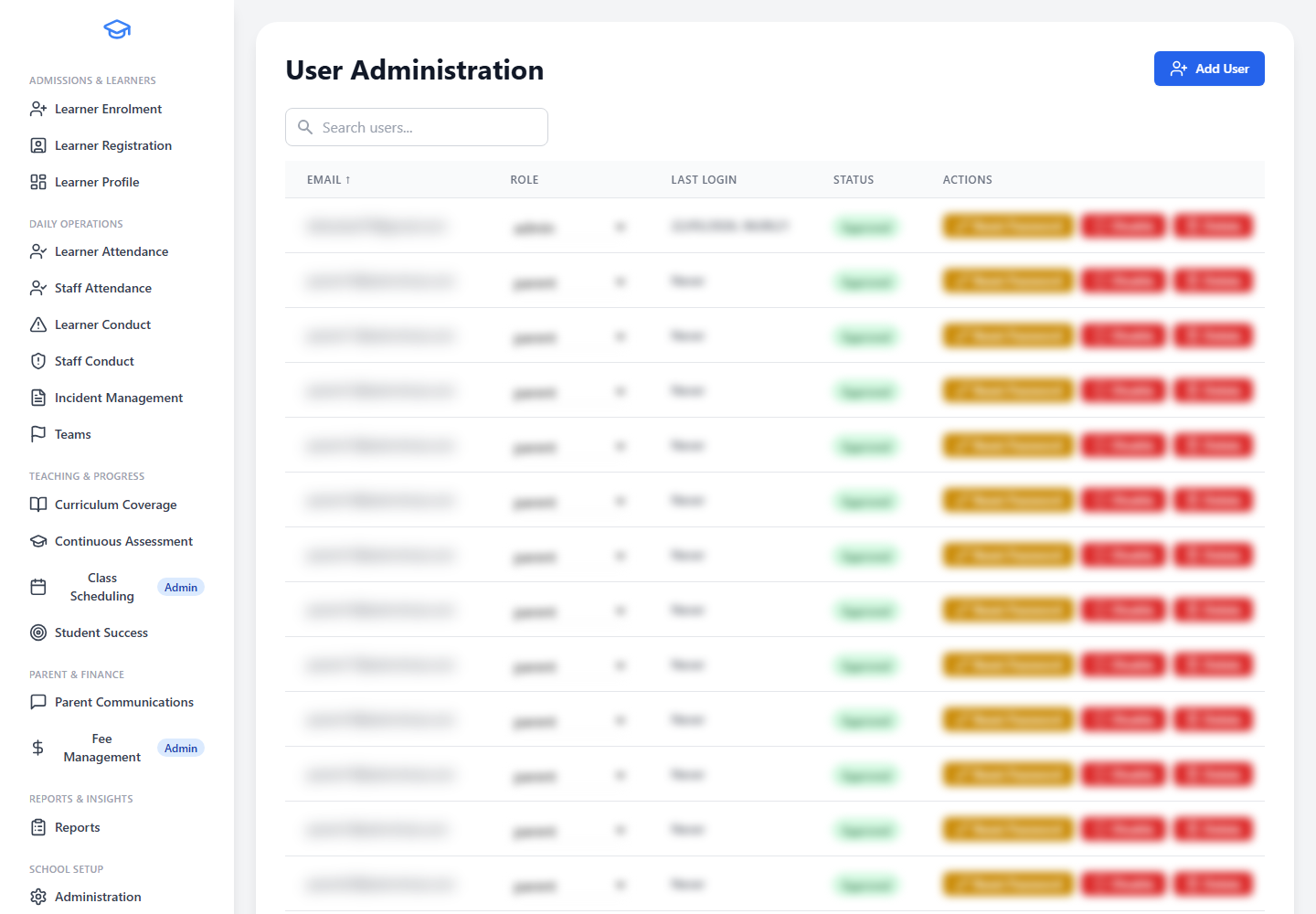
- Approve New UsersReview and approve new staff users before they gain access to the system.
- Enable or Disable AccountsEnable or disable accounts without deleting school history when staff change roles or leave.
- Role AssignmentAssign users to roles such as admin, teacher, finance, student support, or platform admin where applicable.
- Secure Staff OnboardingSupport secure onboarding for staff who need access to EdminHub.
- Separate from Learner RecordsKeep account management separate from learner and parent records.
Staff Administration
Screenshot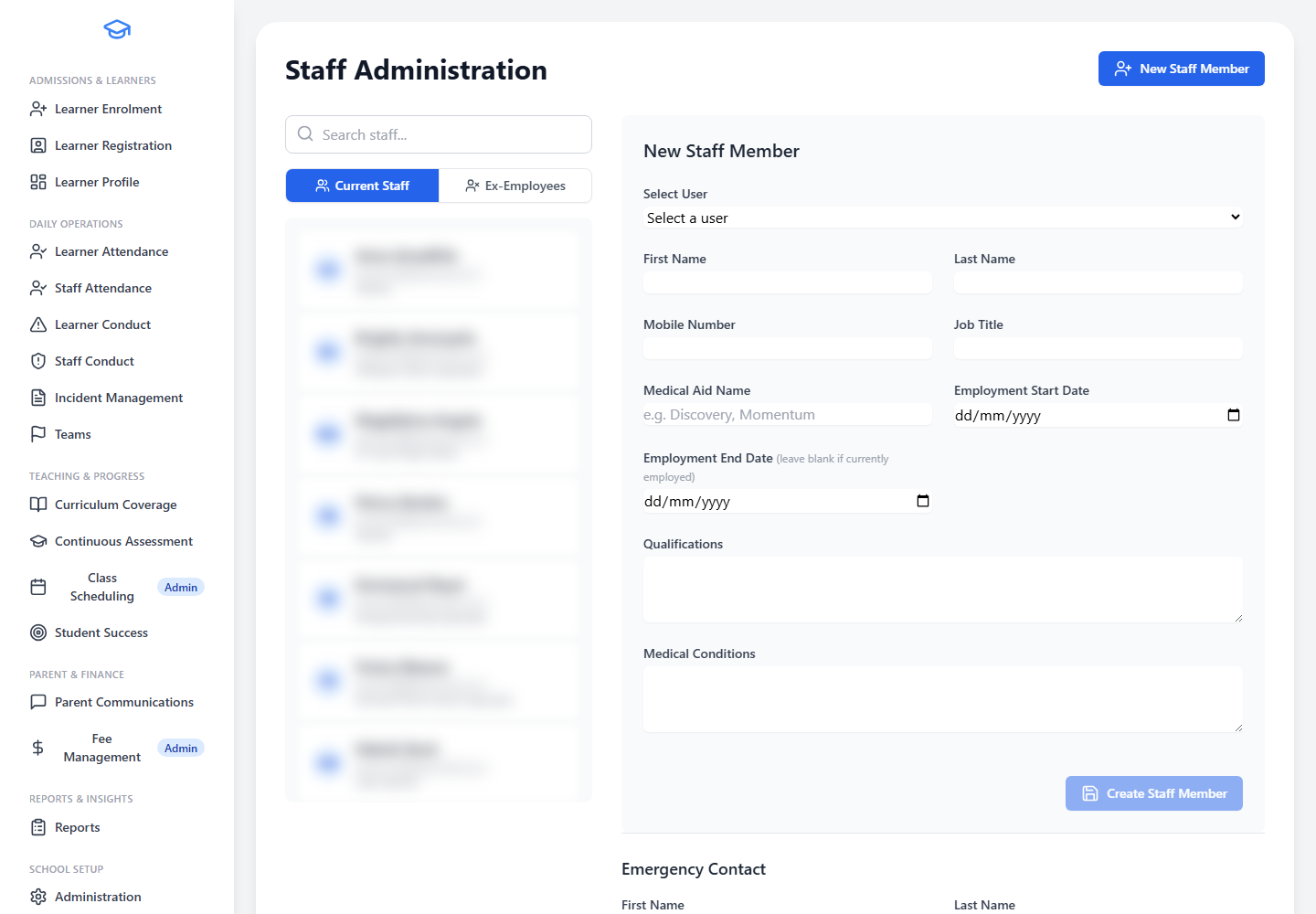
- Personal and Contact DetailsMaintain staff personal and contact details in one organised location.
- Professional InformationRecord job titles, professional information, and qualifications for each staff member.
- Emergency ContactsStore emergency contact details for all staff members.
- Subject and Grade ResponsibilitiesLink staff to subject and grade responsibilities to support school planning.
- Connected to School WorkflowsSupport register-teacher, scheduling, attendance, and assessment workflows from the staff record.
- Authorised Access OnlyKeep staff information available to authorised administrators only.
System Administration
Screenshot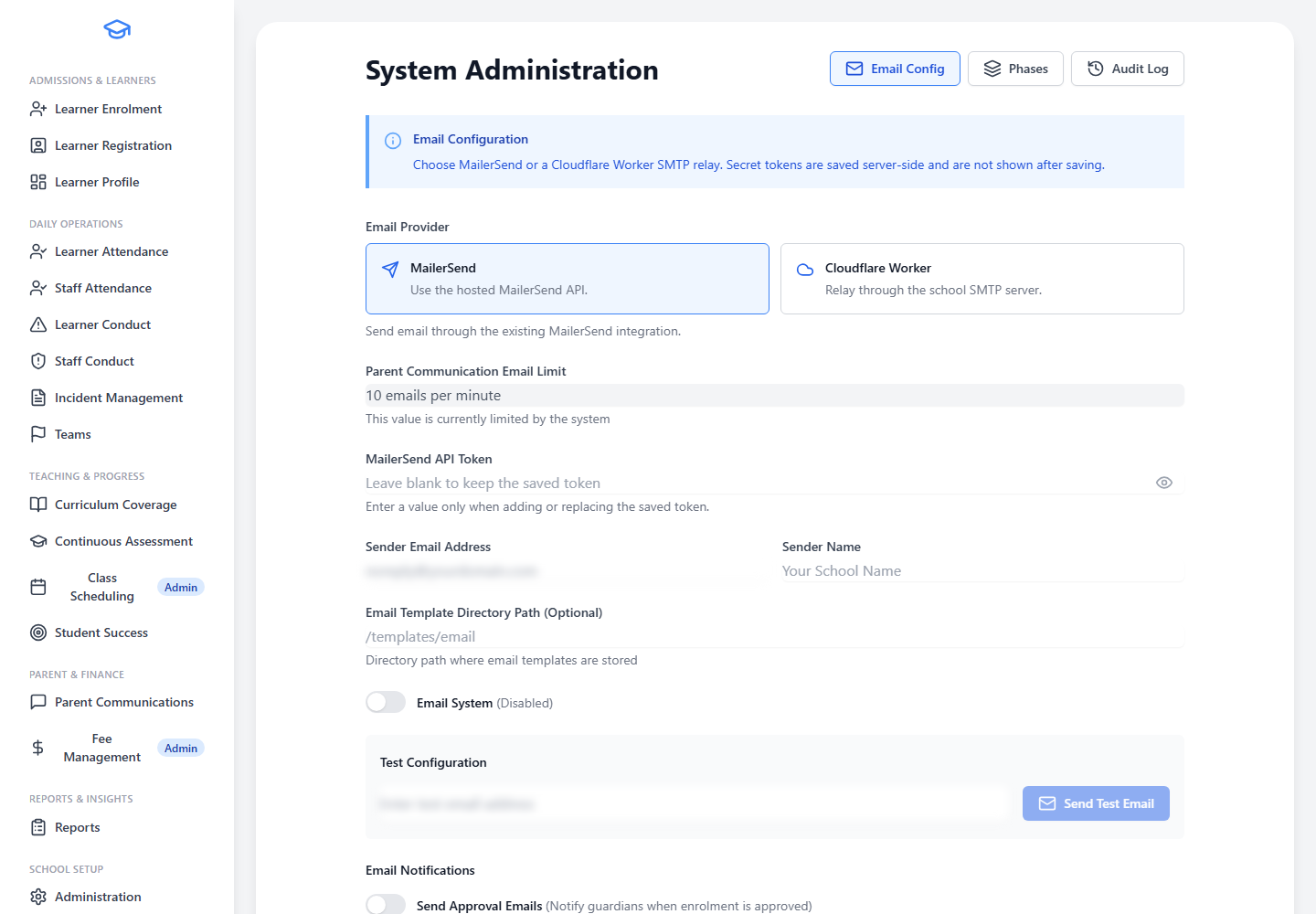
- MailerSend Email ConfigurationConfigure outgoing email using MailerSend for reliable, template-supported school communications.
- Cloudflare Worker SMTP RelayOptionally connect a Cloudflare Worker SMTP relay for schools that want to send through their own mail server.
- Sender and Communication SettingsManage sender details and communication settings so official messages use the correct school identity.
- Email TemplatesMaintain email templates for enrolment, approval, and other school workflows.
- System Audit InformationView system configuration audit information where available.